
MOCREO SMS Opt‑In Information
Purpose: This page publicly documents how end users consent to receive SMS messages from MOCREO and how they can opt out or get help. It is intended for carrier/TCR/AWS review and for user transparency.
Last updated: September 25, 2025
What messages we send
MOCREO will send SMS alerts to verified users when their IoT devices (such as sensors and gateways) detect alarm conditions, and for account‑related notifications. Messages are never sent to non‑registered recipients.
- Recurring messages: frequency varies based on sensor activity and account events.
- Msg & data rates may apply.
- Users can opt in or out at any time.
Opt‑in workflow (in‑app only)
End users can opt in only inside the MOCREO mobile app. Steps:
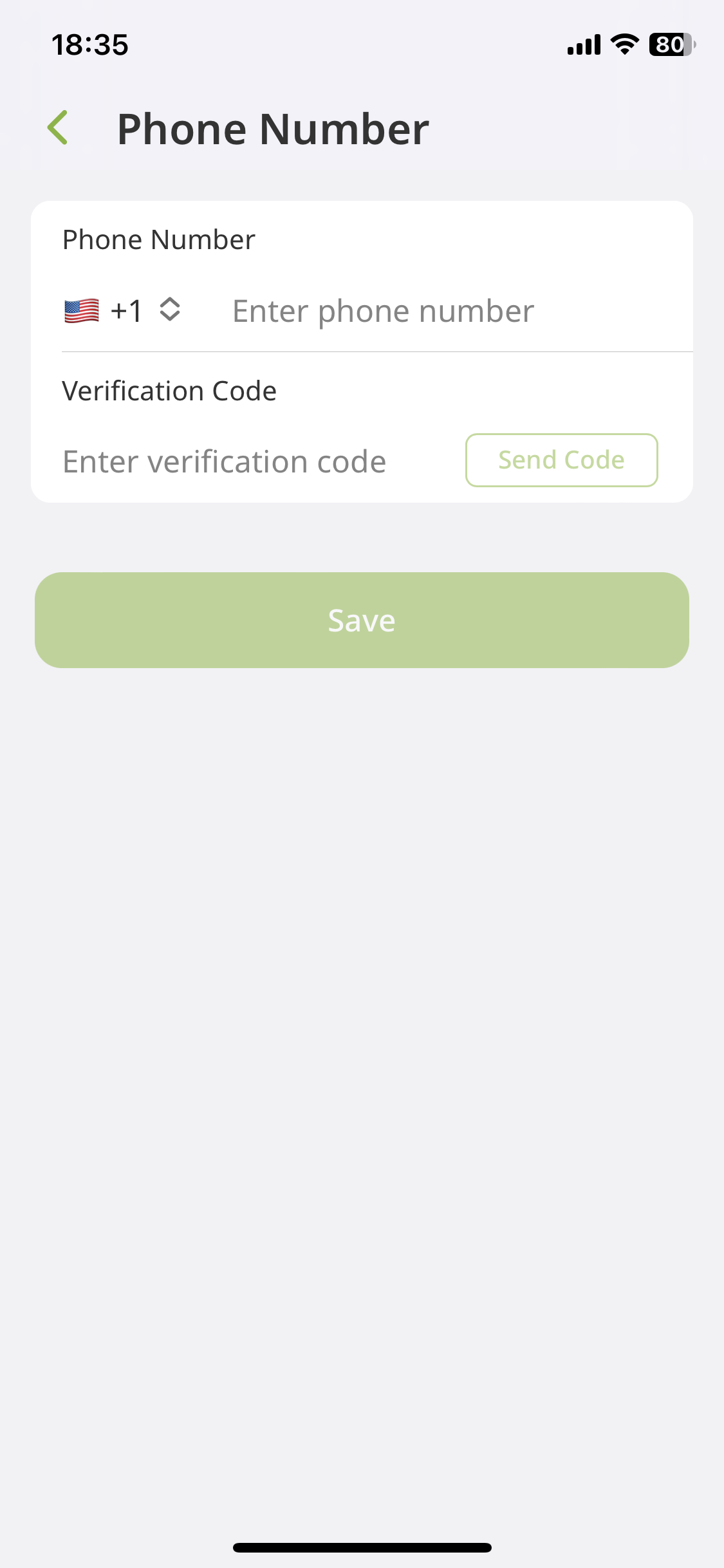
- In the app, go to Settings > Notifications > SMS and enter a mobile number.
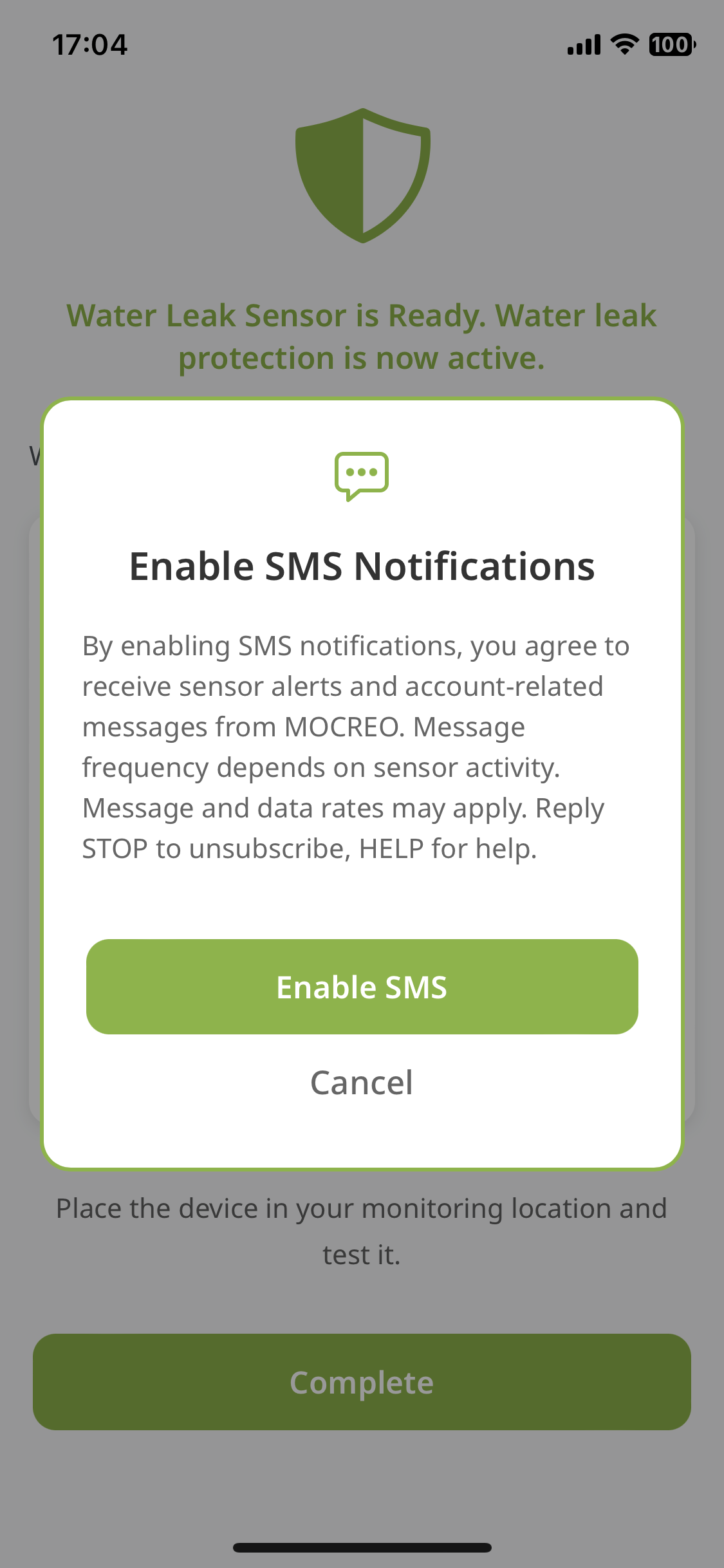
- An on‑screen disclosure is displayed: “By enabling SMS notifications, you agree to receive sensor alerts and account‑related messages from MOCREO. Message frequency depends on sensor activity. Message and data rates may apply. Reply STOP to unsubscribe, HELP for help.” Links to our Terms and Privacy Policy are shown.
- User gives explicit consent by tapping Enable SMS (checkbox not pre‑checked).
- We send a one‑time verification code via SMS; the user enters the code to complete opt‑in.
- Users can opt out anytime by replying
STOPor by disabling SMS in account settings.
We do not use web forms, paper forms, keyword‑based opt‑in, third‑party, or purchased lists.
Required disclosures
- Brand: MOCREO
- Message type: sensor alerts and account‑related notifications
- Message cadence: recurring; frequency varies by sensor activity
- Charges: msg & data rates may apply
- Opt‑out keywords accepted:
STOP,END,QUIT,CANCEL,UNSUBSCRIBE - Help keywords accepted:
HELP,INFO - Terms: https://mocreo.com/terms-and-conditions/
- Privacy: https://mocreo.com/privacy-policy/
Example SMS content
Verification code (OTP)
MOCREO: Your verification code is {VERIFICATION_CODE}. Enter this code in the app to verify your phone number.
Alert notification
MOCREO Alert: {ALERT_TYPE}. Sensor: {SENSOR_NAME} Current Temp: {CURRENT_TEMP_C}°C (Threshold: {THRESHOLD_C}°C). Check your MOCREO app for details.
Support
For assistance, visit https://mocreo.com/service/.
Consent to receive SMS is not a condition of purchase.